portfolio
WordPress plugins
Overview
In this tutorial, you will learn how to use plugins to enhance your WordPress website. It is intended for beginner WP users.
While every theme offers a certain amount of customization, it may not be enough to suit your needs. Plugins let you extend the functionality of your WordPress website without adding any code. With plugins, you can add features not available in your theme (e.g. a calendar) or get advanced customization options (e.g. custom fonts).
Plugins are commonly used to connect social media, show cookie notifications, or handle SEO. Most plugins are free, but some also have paid versions. For available plugins, check out the WordPress plugin directory.
By the end of this tutorial, you will be able to install and configure a plugin to create a cookie consent bar.
Install
To install a new plugin, you need to be an administrator.
- In the Dashboard, go to Plugins > Add new.
- To find the plugin, type its name or keyword in the search field. For this tutorial, we’ll use the Responsive Cookie Consent plugin.
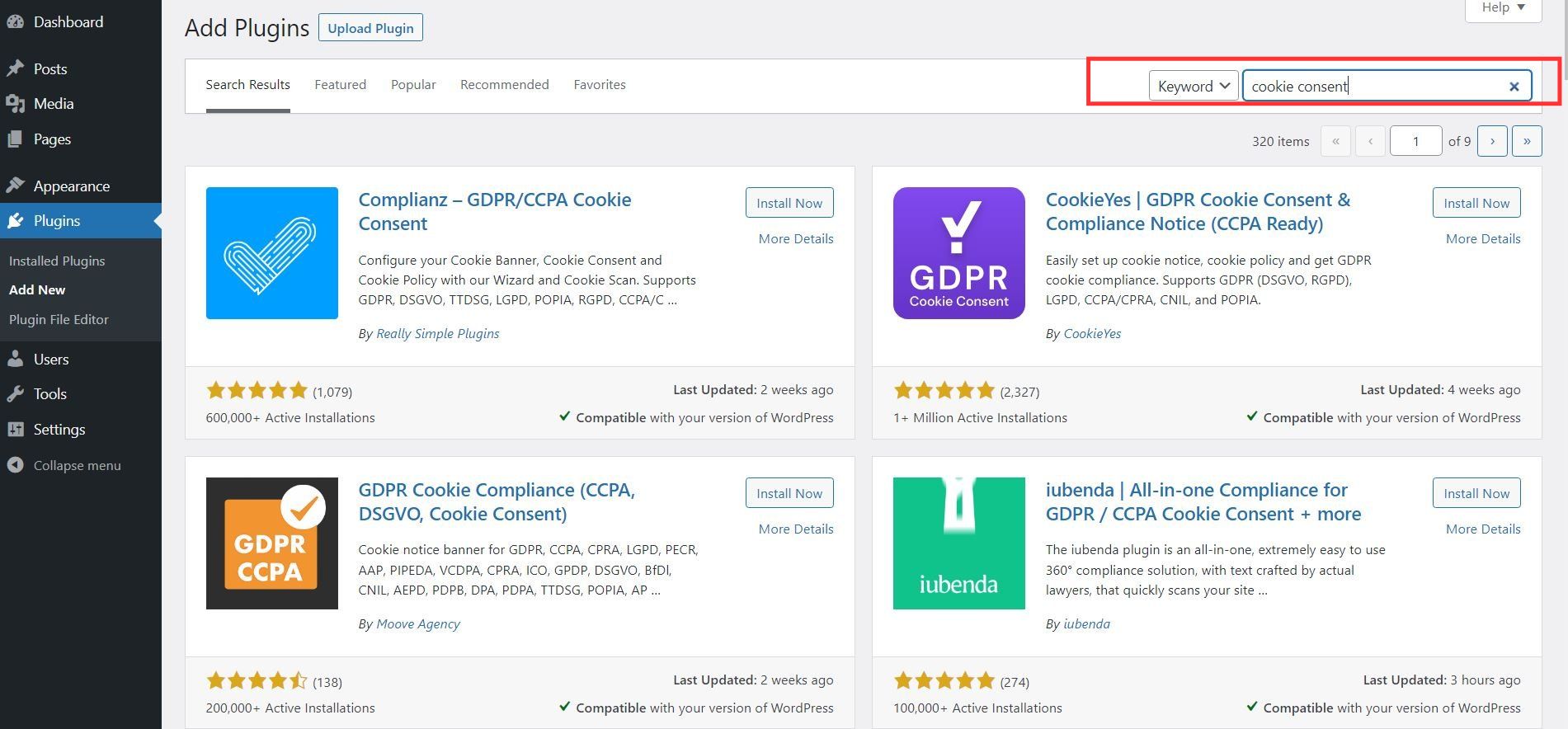
- A list of all matching plugins appears, click Install now on the selected plugin. Before installation, make sure the plugin is compatible with your WP version.
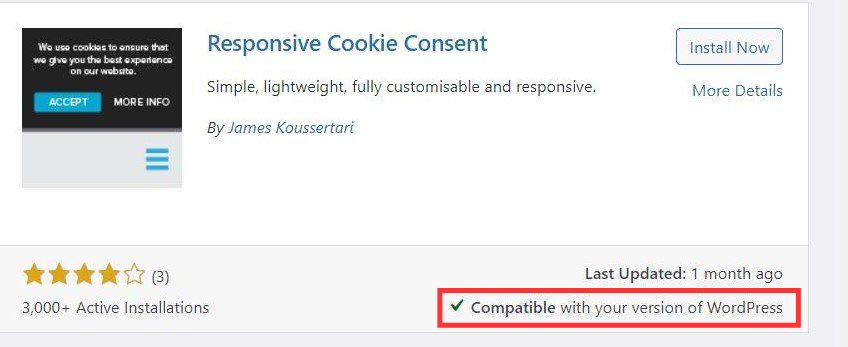
- After the installation is completed, click Activate.
Configure
Once the plugin is active, you can start configuring the cookie consent bar.
- In the dashboard, go to Settings > RCC.
- Enter a cookie consent message and add a cookie policy URL. The plugin lets you customize the wording and style of the buttons.
- Click Save options.
Update
To keep your website secure and working well, make sure you update the plugins regularly. You will see update notifications on the home screen.
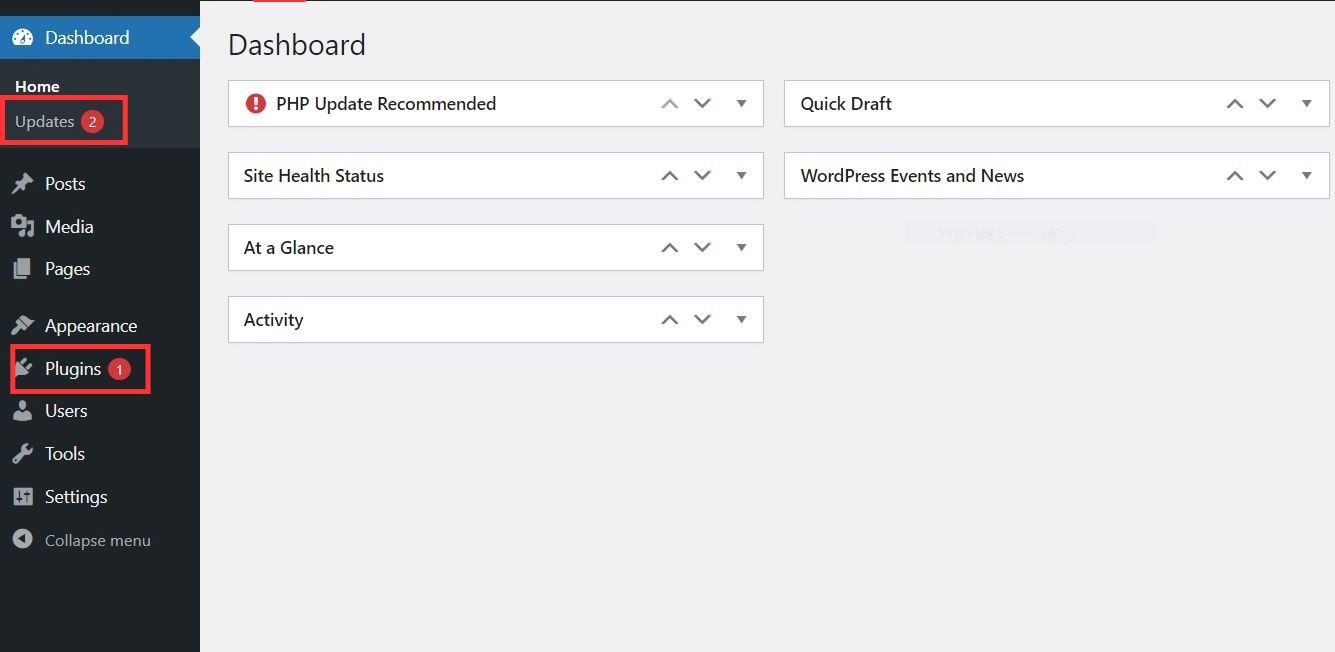
- To see the list of all installed plugins, go to Dashboard > Plugins.
- To update the plugin, click on update now.
Deactivate
If you want to stop using a plugin, you can deactivate it or delete it completely. Note that deactivated plugins must be updated for security reasons.
- Go to Plugins.
- Click on Deactivate.
- When the plugin becomes inactive, click Delete.